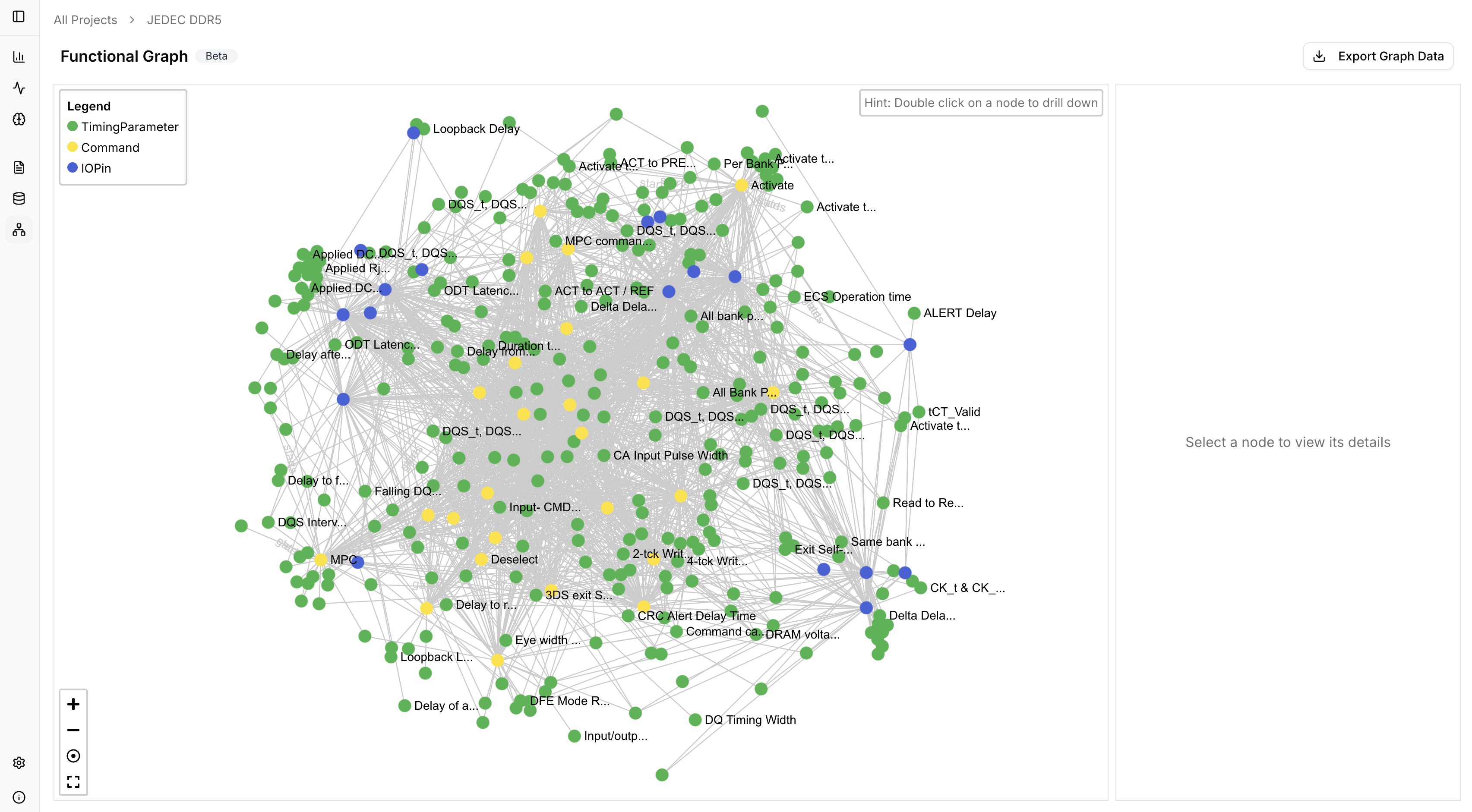
The Functional Graph is a graph visualisation of the ontology where nodes represent chip components and edges show relationships (e.g., “configures,” “sets timing of”). It provides an intuitive visual representation of device behaviour and dependencies, making it easier to audit complex specifications.

View the Graph

Click the Graph tab in the left nav to view the full Functional Graph. The legend shows node types:
  • TimingParameter — Timing specifications
  • Command — Chip commands
  • IOPin — Input/output pins
Full functional graph visualisation

Explore Nodes

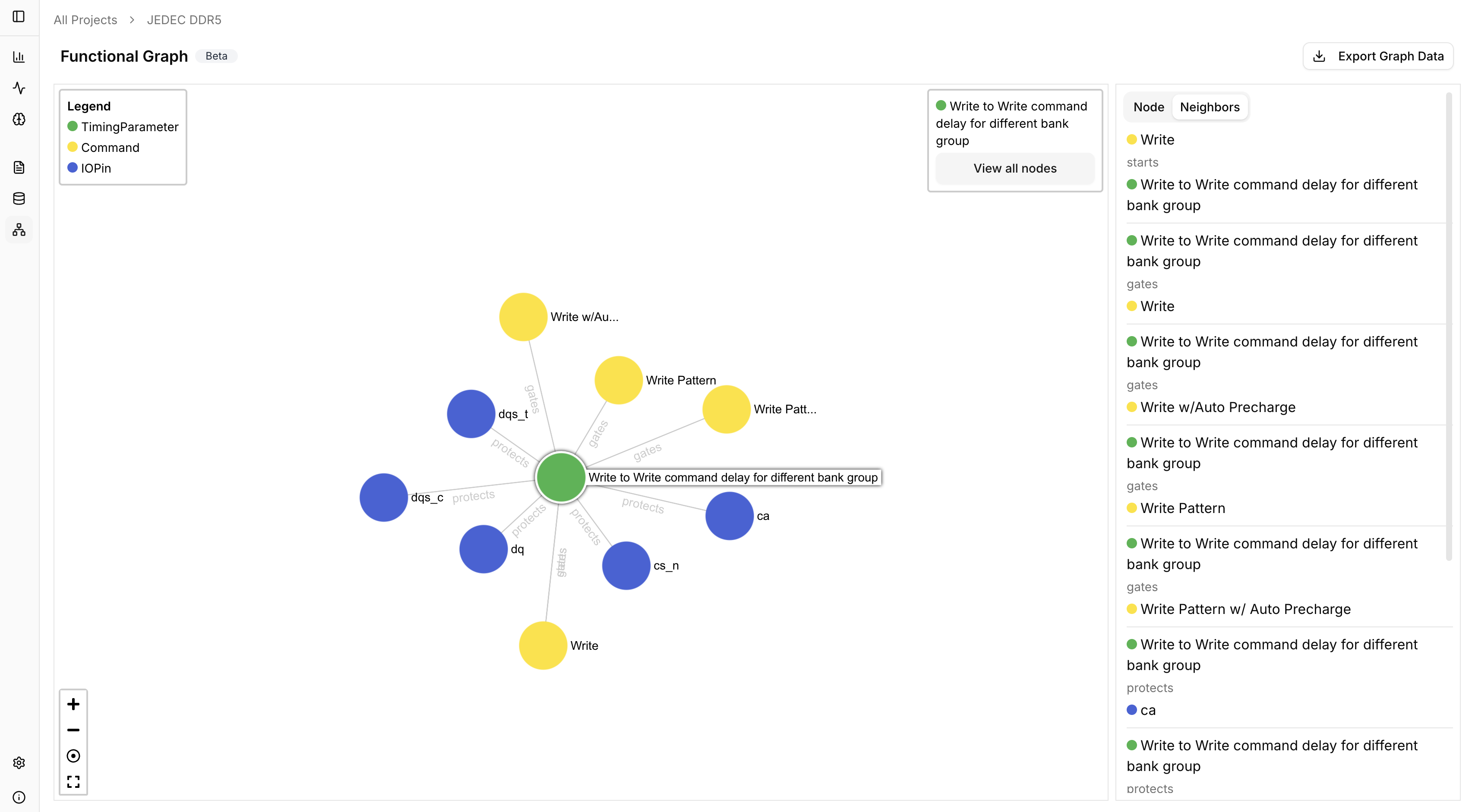
Double-click any node to focus on that node and its immediate neighbors. View the attributes of the node and how it relates to its neighbors in the right pane.
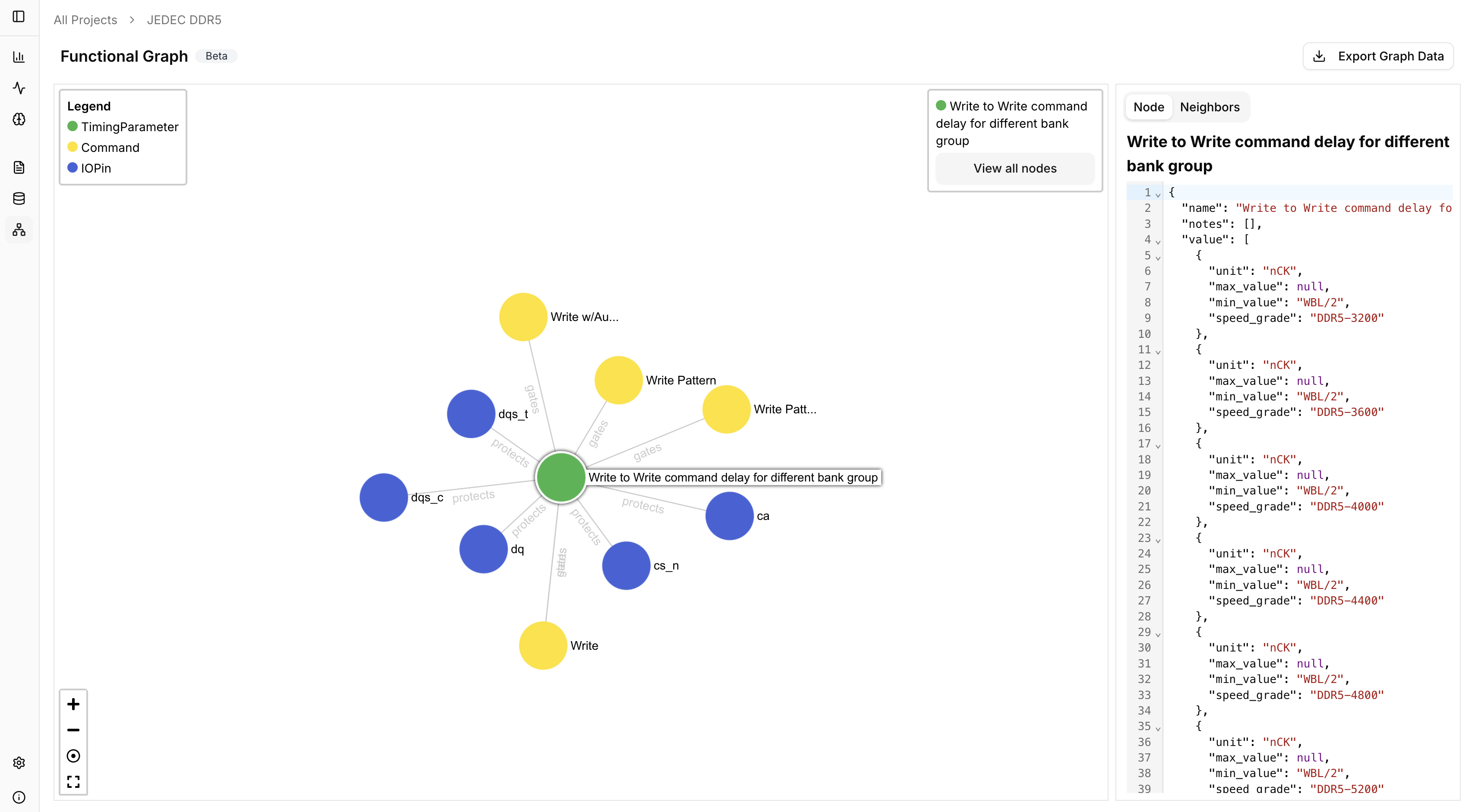
Focused node view with attributes
Node neighbors and relationships

Export

Export the functional graph as a JSON file for external analysis.